By Lee Purvis | November 10, 2026
Smart lockers sound like simple security products. You put valuable equipment in, only authorized users can take it back out, end of story. Add sensors, user authentication and software, though, and the same locker becomes a tool for running the parts of your operation that depend on shared equipment: who has it, whether it came back complete, and what happens when it does not.
Smart lockers solve practical problems in the workplace: equipment that goes missing between shifts, sign-out sheets nobody fills in, kits that leave the building incomplete, and regulated items that need an audit trail. If you want the fundamentals first, start with what a smart locker is and how it works. This article is about what businesses and public agencies actually do with them.
Teams across nine industries have found uses for smart lockers that go well beyond storage. The examples below come from Real Time Networks customers, with the workflow each one automated and the problem it fixed. Jump to an industry:
- Warehouses, shipping and logistics
- Law enforcement
- Private security contractors
- Colleges and universities
- Corporate offices and IT
- Hotels and resorts
- Casinos and gaming
- Emergency services and healthcare
- Transportation centers and airports
How Smart Lockers Automate Key and Equipment Management
If all you need is secure storage, a traditional locker is the right choice. If the equipment is expensive, regulated, or part of a workflow that other people depend on, a smart locker earns its place by handling the management tasks around it: access control, sign-out and return records, kit verification, and maintenance routing.
A smart locker has secure compartments like any other locker, plus a control terminal, user authentication (PIN, access card, or biometrics) and sensors that confirm what is inside each compartment. Depending on the configuration, items are identified by RFID tags, by weight accountability, or by content surveillance sensors. Every transaction is logged to a named user with a timestamp.
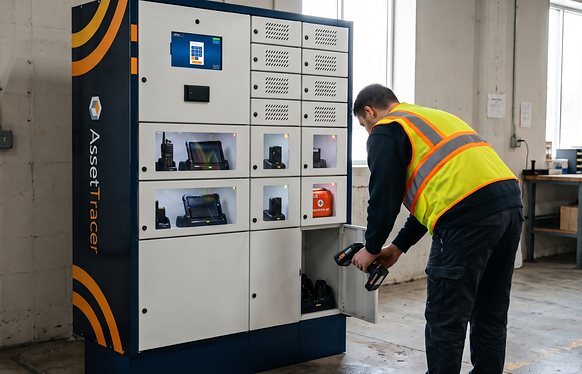
That record is what makes automation possible. For example, an AssetTracer asset management locker can manage maintenance requests without an equipment manager getting involved. A user returns a laptop that keeps crashing. The terminal prompts them to report the issue, directs them to deposit the laptop in a designated maintenance compartment, alerts the support team by email, and blocks anyone outside that team from signing it out until the issue is marked resolved.
The same logic applies to overdue returns, incomplete kits, and items that should not leave the building. The locker enforces the rule at the moment of the transaction, which is usually the only moment it can be enforced. That is why smart workplaces treat lockers as part of the operation rather than as furniture.
See how AssetTracer smart lockers fit your workflows
Smart Locker Use Cases by Industry
Real Time Networks has worked with organizations across many industries. The common thread is an interest in removing slow, manual work from equipment handling. Each industry applies that idea differently.
Here are nine ways our customers use smart lockers today.
1. Warehouses, Shipping and Logistics
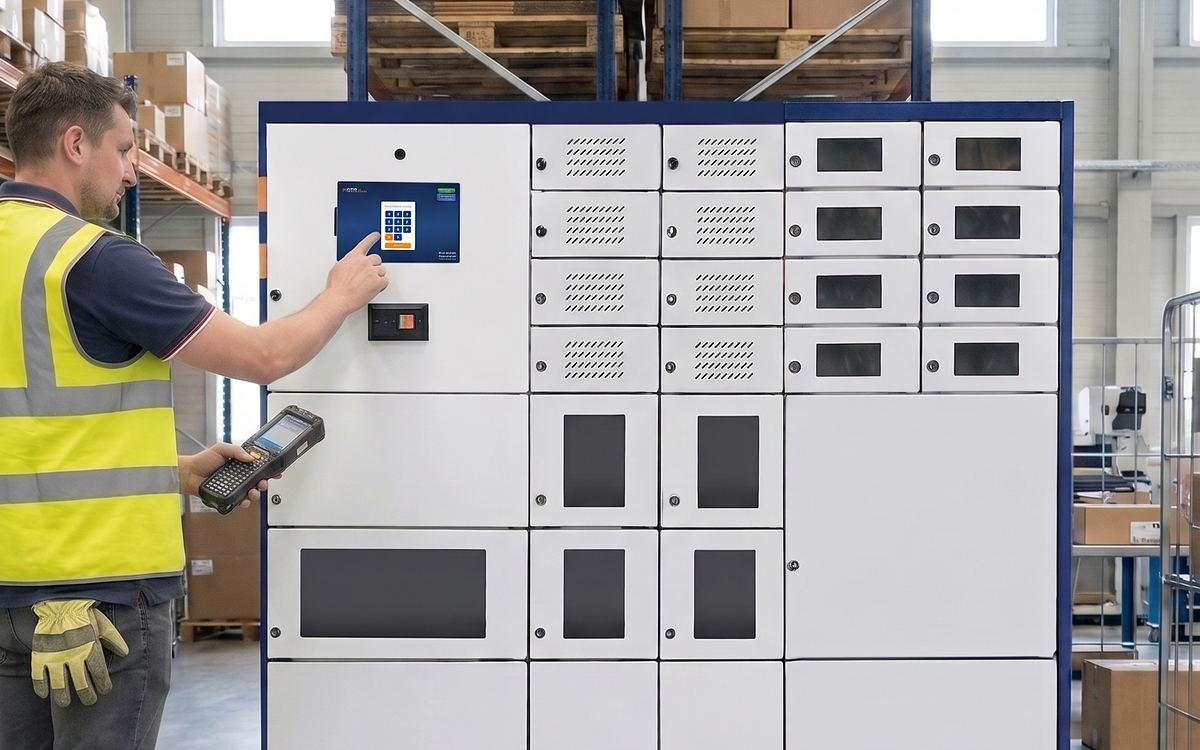
Most common smart locker use cases in warehouses, shipping and logistics:
- Storing, charging and signing out RF scanners and handheld barcode scanners by employee, every shift
- Forklift and pallet jack key control, so only certified operators can take a key
- Warehouse asset tracking for shared tools, voice-picking headsets, label printers and tablets
- Reports that show which scanners are lost, hoarded or overdue, and how many devices the operation actually needs
In busy distribution centers, every worker depends on a handheld scanner to identify, track and update the products they handle. Many of these facilities have excellent inventory controls for their products and none for the scanners their shipping operation runs on.
Real Time Networks worked with one international clothing company that was sure it was losing scanners but had no way to confirm it. Supervisors discovered that workers were hoarding their favorite units and hiding them around the warehouse. Once every scanner was assigned to a smart locker compartment and signed out by name, the locker reports showed the company owned almost twice as many scanners as it needed. The same approach works for managing warehouse scanners across shifts, and Sun City Produce uses it to keep devices and keys moving between crews without a supervisor in the loop.
2. Law Enforcement
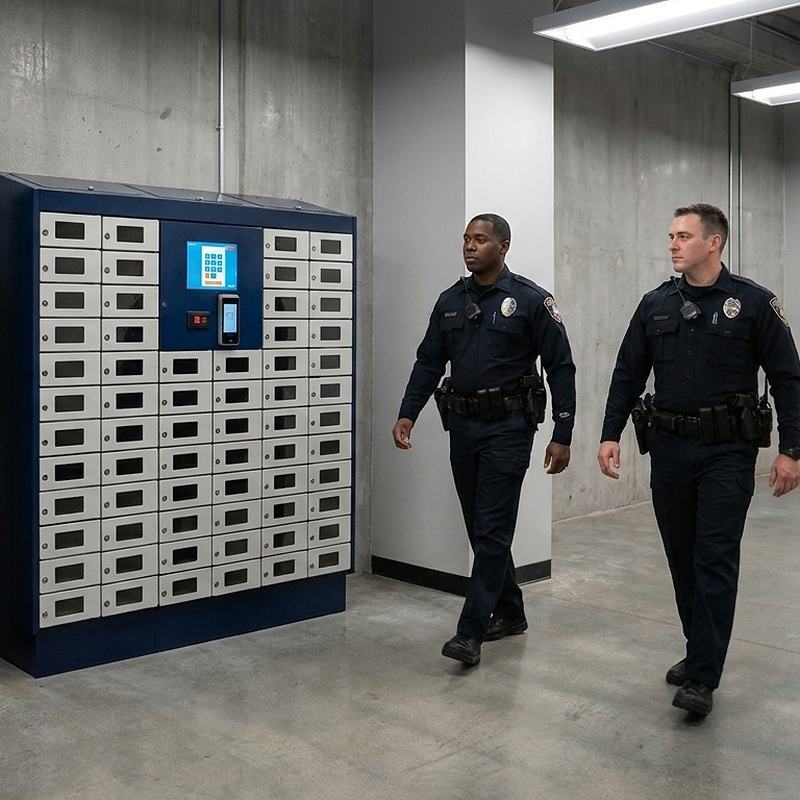
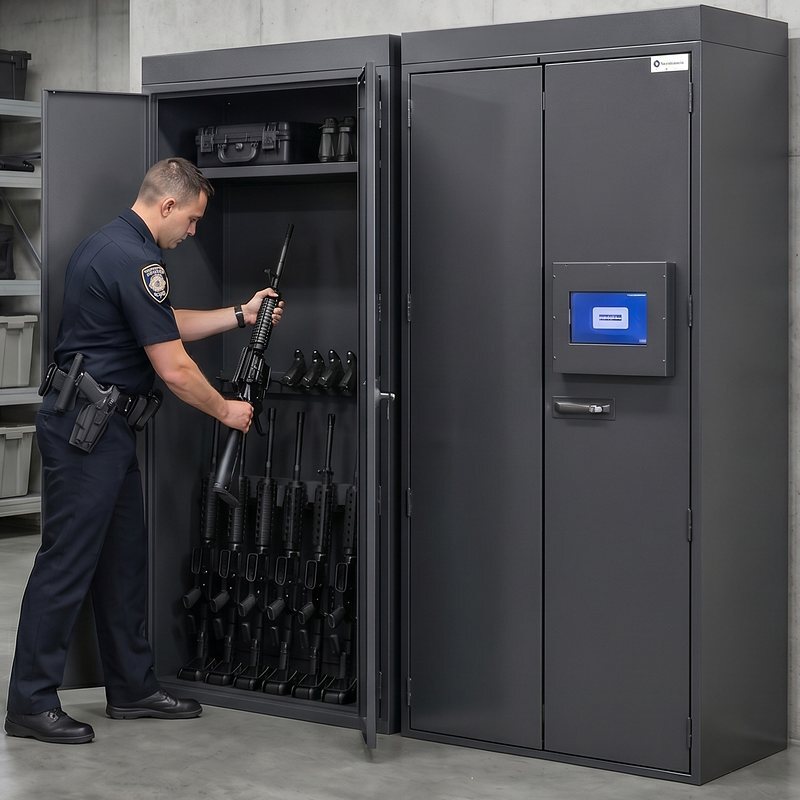
Most common smart locker use cases in law enforcement:
- Issuing duty gear at shift start: radios, body-worn cameras, laptops and conducted energy weapons, charged in the compartment
- Evidence storage with chain-of-custody records, including evidence drop-off compartments and refrigerated storage for biological samples
- Weapons storage and sign-out for handguns, patrol rifles and less-lethal weapons, with a record of who holds each one
- Patrol vehicle key control, so fleet keys follow the same sign-out process as equipment
- Police equipment inventory management: asset reports for audits, grant reporting and replacement planning
Law enforcement agencies move a large volume of equipment every shift: handguns, patrol rifles, radios, laptops, body cameras and less-lethal weapons. It may take an equipment manager only a few minutes to issue each officer's gear, but those minutes add up shift after shift and year after year. Police gear lockers complete each transaction in seconds and record who took what, so staff time goes back to police work. The San Mateo County Sheriff's Office is one example of an agency that made the switch.
Agencies also use evidence lockers. Officers authenticate, deposit evidence and records, and are then blocked from signing them back out, which preserves the chain of custody. Detectives, prosecutors and other case personnel sign evidence out when needed, and each transaction is logged. Refrigerated compartments are available for biological samples. For the process side, see our evidence management best practices.
3. Private Security Contractors
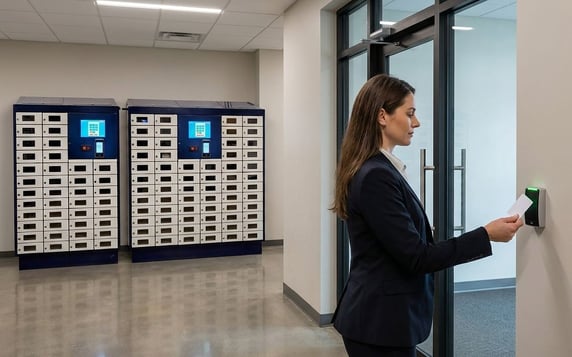
Most common smart locker use cases in private security:
- Issuing security guard equipment at shift start: radios, body cameras, flashlights and first aid kits
- Firearm sign-out for armed guards at banks and other high-security sites, with a record of who holds each weapon
- Shared equipment on client sites, where the client and the contractor both need an audit trail
- Radio charging and swap-outs between shifts, so no guard starts a post with a dead battery
Many companies use private security contractors instead of maintaining an in-house security team. Contract guards at industrial sites, campuses and corporate facilities start each shift with a radio, a body-worn camera and often a first aid kit, and a smart locker gives both the contractor and the client a record that each item was issued and returned. In higher-security settings such as financial institutions, those contractors also carry handguns that the company provides. Without proper tracking, the institution is exposed to serious consequences if a weapon goes missing.
Real Time Networks worked with a North American financial institution that needed better accountability for handguns issued to contractors in its branches. It deployed AssetTracer weapons storage lockers so contractors sign a handgun out at the start of a shift and back in at the end. When a weapon needs to go out for cleaning or service, that is logged at the locker too, so supervisors can see who is responsible for each weapon and when it is due back.
4. Colleges and Universities
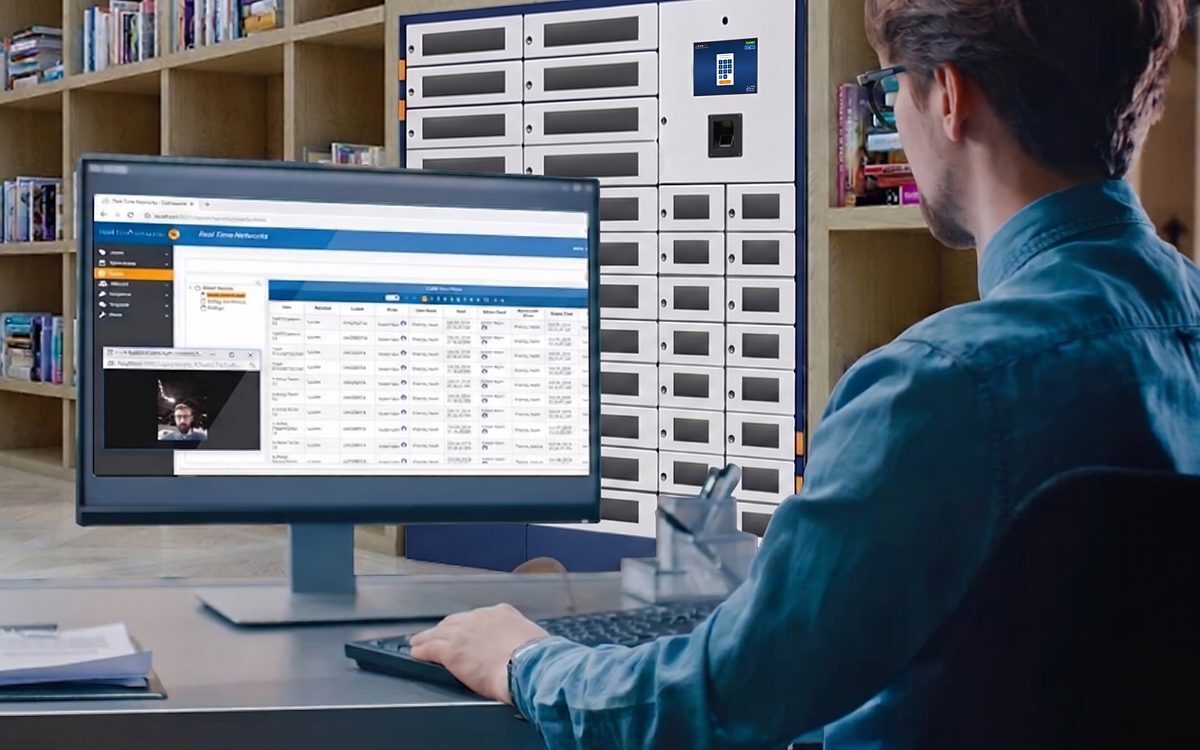
Most common smart locker use cases in colleges and universities:
- Library laptop lending and loaner laptop programs with self-service checkout and return
- Chromebook and tablet charging and storage for student workers and point-of-sale tablets
- Campus key management for facilities, residence halls and campus security
- Equipment checkout for labs, media departments and athletics: cameras, AV kits and radios
- Student device management records: who has what, and when it is due back
Higher education institutions face security and operational challenges that most other organizations do not. They rely on student workers to run shops, cafeterias and other points of sale, and most of those locations now take payments on tablets. Those tablets need to be secured when not in use, and campuses use smart lockers to issue them to the right student worker at the start of a shift and confirm their return at the end.
University libraries use the same approach to automate laptop lending programs. A student swipes a campus card, signs out a laptop for study or an exam, and returns it to the locker when finished, with no library staff involved in the transaction. Staff see every loan, return and overdue item in the locker software instead of a sign-out binder. Because a locker can also verify entire kits and every RFID-tagged component in them, some institutions use lockers for facilities kits and security officer kits as well. There are more campus uses than most administrators expect.
5. Corporate Offices and IT Departments
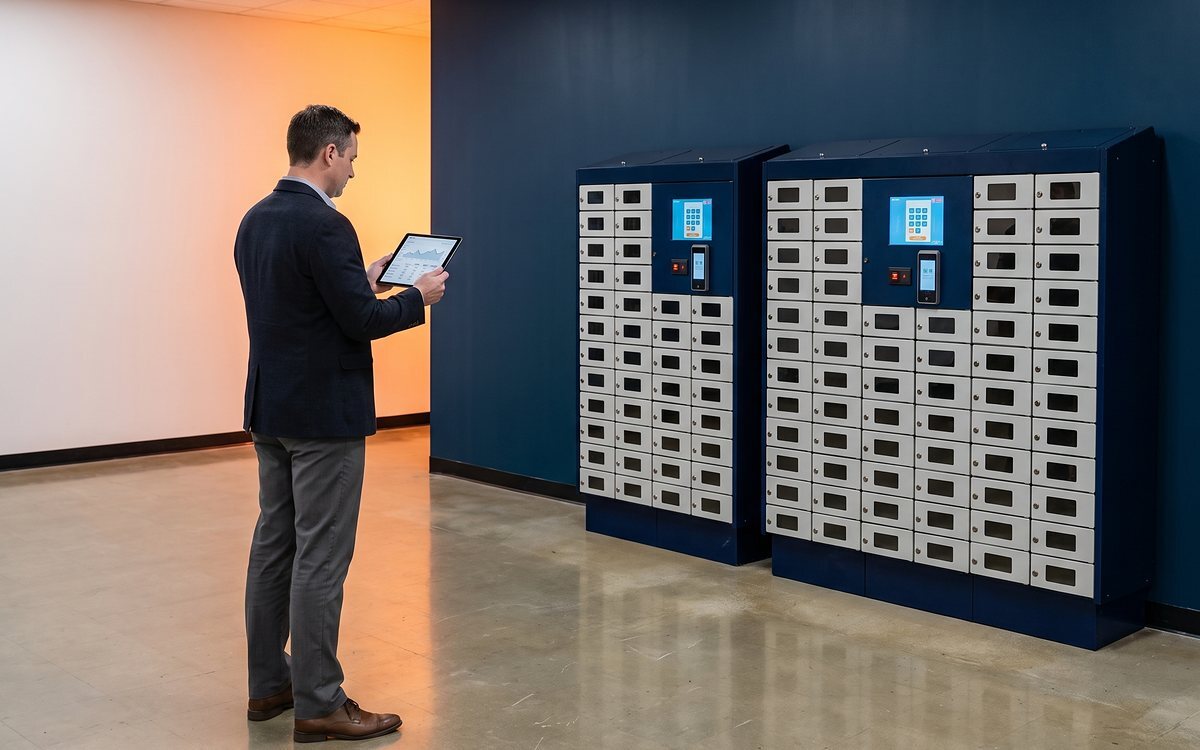
Most common smart locker use cases in corporate offices and IT departments:
- IT vending: unattended laptop and phone pickup for new hires and remote staff
- Loaner laptop programs and break-fix swaps without a help desk visit
- Laptop charging and storage for hot-desking and hybrid teams
- Physical IT asset tracking, with check-in and check-out records that match the asset register
- Secure device returns when employees leave or change roles
With hybrid work now standard, IT teams need an efficient way to issue equipment to new hires and remote staff who are rarely in the office at the same time as the help desk. A typical kit includes a company laptop, a phone and accessories, and the handoff tends to happen outside business hours.
Corporate IT departments use laptop and tablet lockers as unattended distribution points. The employee authenticates, the compartment holding their kit opens, and the sign-out is recorded against their name. Returns, swaps and repairs run through the same locker, which keeps IT asset management records accurate without anyone chasing devices by email. Charging compartments keep loaner devices ready to use, a common requirement in mobile device management programs, and the locker covers the physical security of laptops and IT devices that endpoint software cannot.
6. Hotels and Resorts
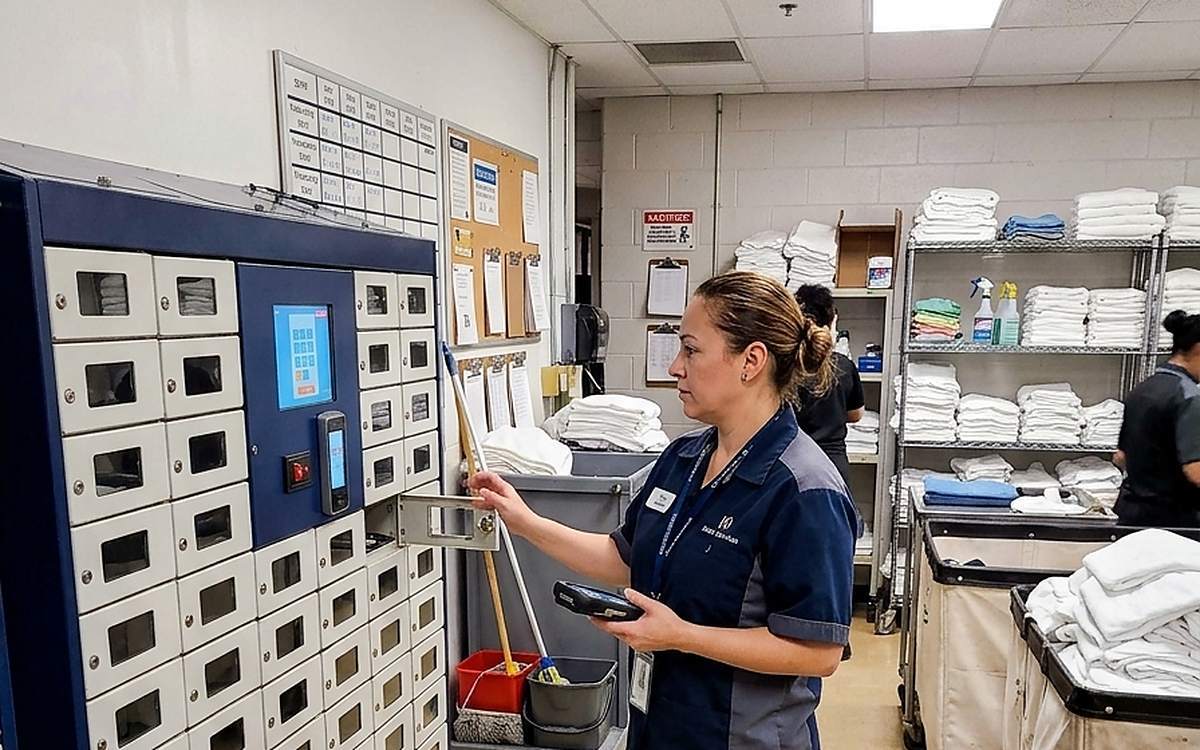
Most common smart locker use cases in hotels and resorts:
- Housekeeping tablets and two-way radios signed out per shift and charged in the compartment
- Hotel key management for master keys and back-of-house keys
- Shared devices across front desk, engineering, security and banquet teams
- Engineering tools and test equipment that move between properties or shifts
Hotels use smart lockers to tighten process control across guest services. The most common use is storing and tracking the tablets and radios that housekeeping depends on. When a guest checks in early and wants the next available room, the front desk no longer waits for a housekeeper to finish a round. The housekeeper logs each room as turned over the moment it is done, and the front desk can send waiting guests up right away. Our guide to managing electronic devices in hotels covers the full workflow.
7. Casinos and Gaming
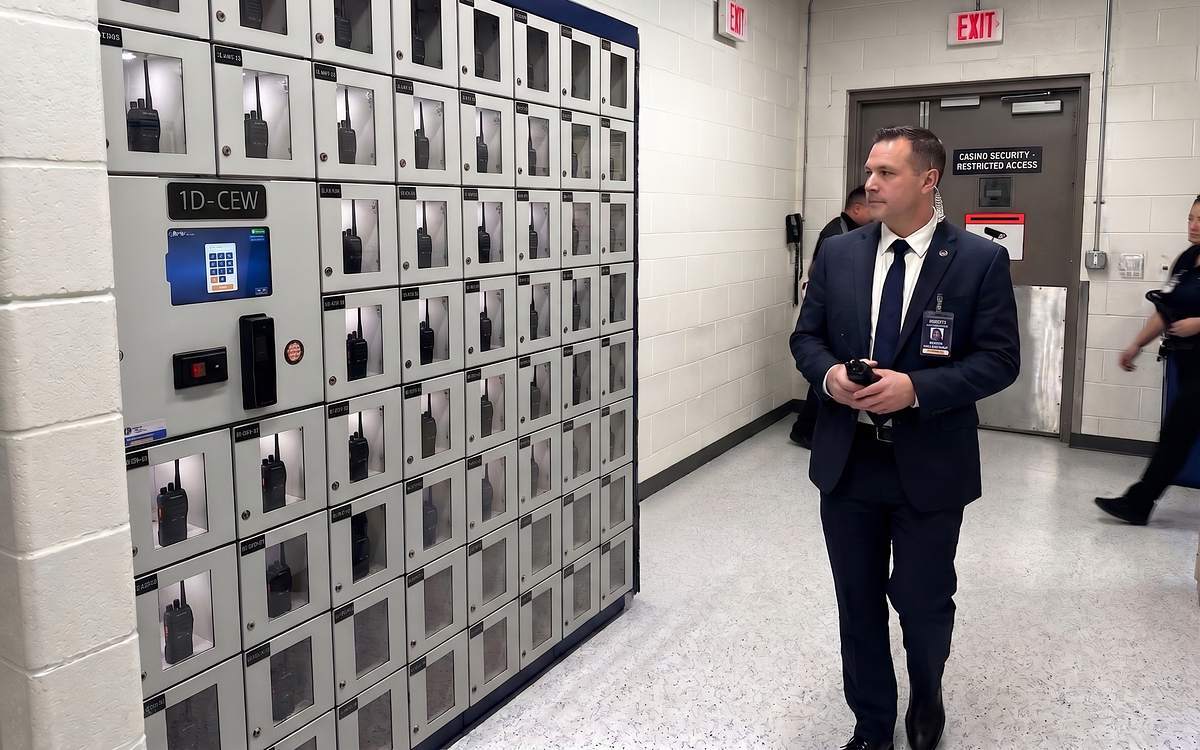
Most common smart locker use cases in casinos and gaming:
- Two-way radios for security, surveillance and floor teams, with charging in the compartment
- Slot machine keys, drop and count keys and table game keys under regulator-grade key control
- Security equipment such as body cameras and conducted energy weapons, issued only to authorized staff
- Tablets and devices for guest service and player development
- Audit reports for gaming commission compliance
Gaming properties issue tablets and radios for security and guest service much as hotels do, with similar storage needs across every department of a casino. Casinos also operate under much tighter rules for storing and managing keys. A single slot machine can have three keys securing different components, such as the cash box, the logic board and the mechanical assembly, and regulators expect a record of who accessed each one and when. Many casinos pair AssetTracer lockers for equipment with KeyTracer electronic key cabinets so that keys and devices follow the same sign-out and audit process. See our casino key management best practices for the compliance side.
8. Emergency Services and Healthcare
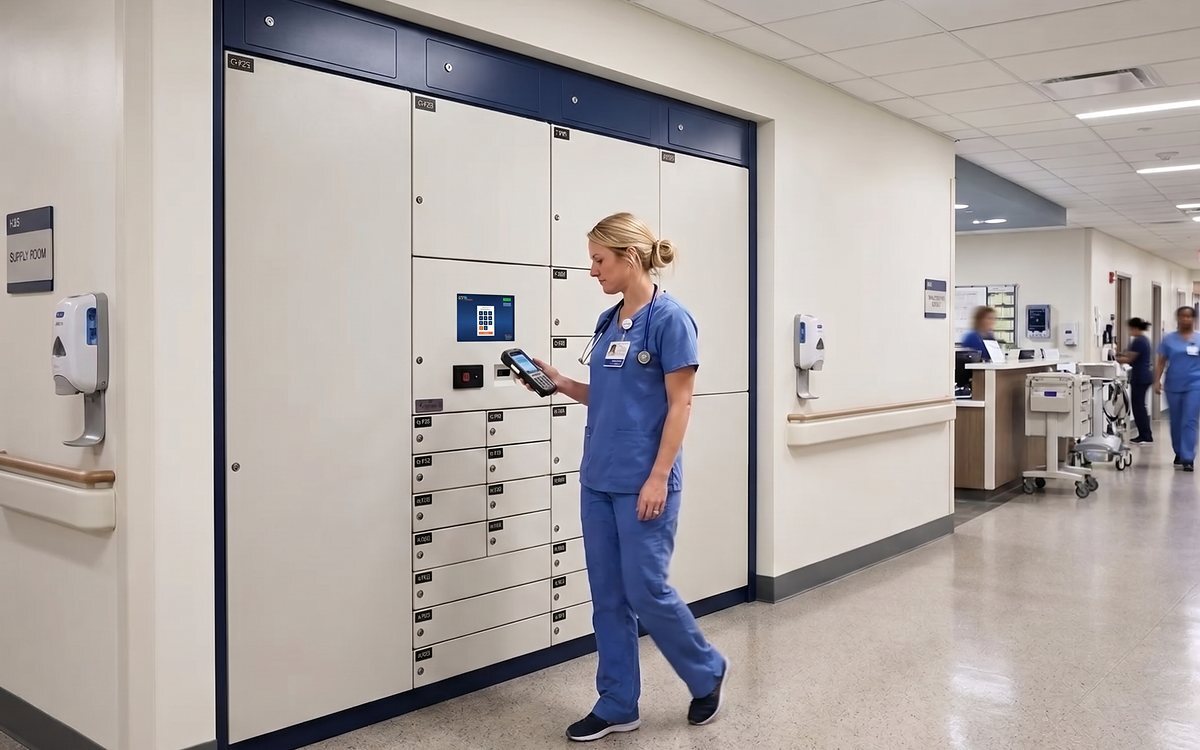
Most common smart locker use cases in emergency services and healthcare:
- EMS narcotics and controlled substance storage with per-kit access records
- Ambulance drug box and equipment kit checks, verified complete before the crew leaves the station
- Patient belongings management in emergency departments and inpatient units
- Hospital equipment tracking for shared handheld devices, phones and scanners
- Medication storage on the ward with a record of every access
Medical teams have several uses for smart lockers. EMS agencies come to Real Time Networks for secure storage for narcotics kits, the medication bags that contain controlled substances. In many US states, including California, agencies must record who had access to each kit and which medications were used on calls. At sign-out and return, an AssetTracer locker presents the EMT with a checklist to verify medication use and current quantities, which closes the gap that drug diversion cases tend to exploit. Hospitals apply the same controls to medication security on the wards.
Ambulance crews also cannot wait for a day-shift inventory manager to assemble kits for them. They need to grab everything on the way out the door. Many ambulance services use the content surveillance feature to confirm each component in a kit is present at hand-out, so a crew does not discover a missing item on scene.
Back at the hospital, nurses sign out shared handheld devices from the same lockers at the start of a shift, and emergency departments and inpatient units use them to manage the personal belongings of incoming patients, sometimes including large amounts of cash. A nurse catalogs and deposits everything that arrived with the patient in an available compartment. At discharge, the patient verifies their identity at the terminal and collects their belongings. Our guide to patient belongings management explains how to set this up.
9. Transportation Centers and Airports
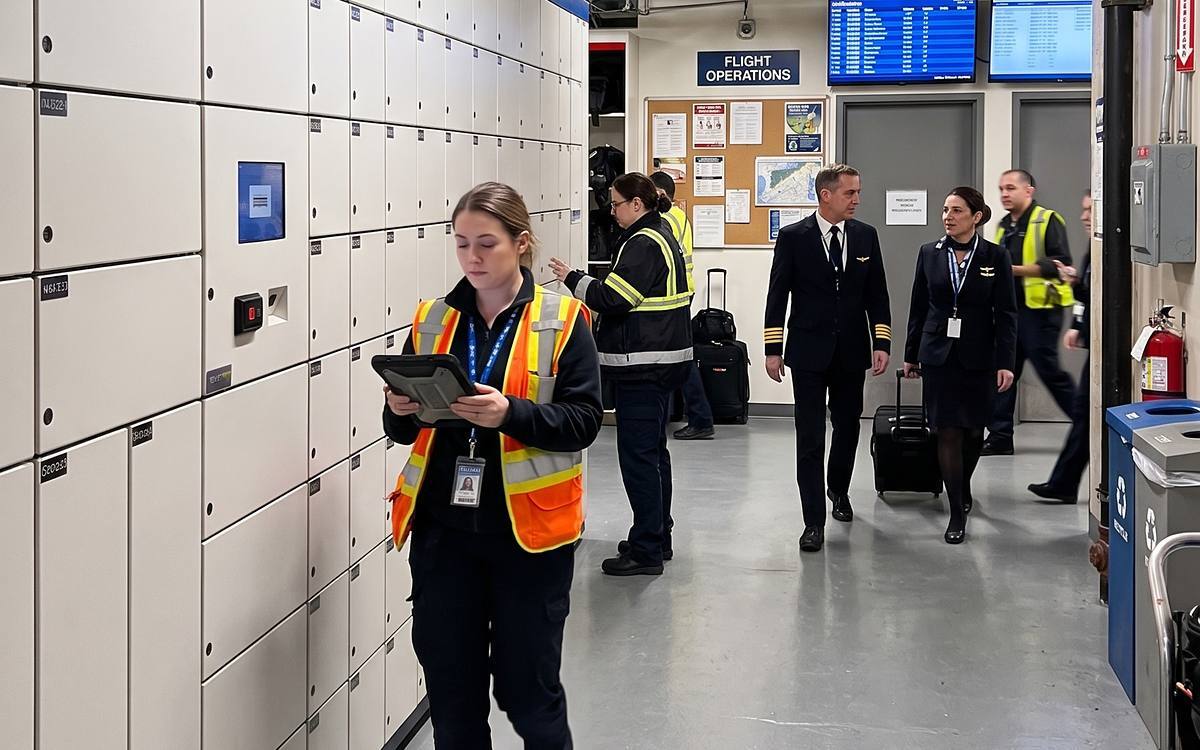
Most common smart locker use cases in transportation centers and airports:
- Fleet key management for buses, trains, service vehicles and ground support equipment
- Rugged tablets for maintenance checklists and manuals, stored and charged between shifts
- Aircraft maintenance tool control, with RFID confirmation that every tool came back
- Airport ground equipment tracking: radios, tablets and keys for ramp and flight operations crews
- Catering knife control in airport kitchens with direct aircraft access
Technicians in rail yards and fleet maintenance lots pull up checklists and manuals on tablets while servicing vehicles. Those tablets have to be stored, charged and accounted for, and transportation agencies use equipment lockers for that job, often alongside key cabinets for fleet vehicle keys. Airport ground operations teams use them the same way for the radios, tablets and keys that crews pick up on the way to the apron.
One of the more unusual cases came from the airline industry. Airlines prepare food in secure airport facilities with direct access to aircraft, which means keeping an inventory of large knives on hand. Real Time Networks worked with a major airline to embed RFID tags in the knife handles. With an AssetTracer locker, the airline gets automated confirmation that every knife is returned and none has made its way onto an aircraft. The same tool control principle applies to aircraft maintenance.
Choosing the Right Smart Locker Configuration
These are some of the ways Real Time Networks customers use smart lockers. Compartment sizes, door types, charging, RFID or weight-based verification and software rules can all be combined, so an organization can configure a system around the tracking and management tasks it cares about most. Our guide to smart storage locker types, configurations and costs walks through the options, and the buyer's guide covers what to ask vendors before you purchase.
Frequently Asked Questions
What are smart lockers used for?
Smart lockers are used to secure and track shared equipment such as handheld scanners, radios, laptops and tablets, firearms and less-lethal weapons, evidence, medication kits, tool kits and patient belongings. Every sign-out and return is recorded against a named user, and the system can enforce rules about who may take an item, when it is due back, and what happens when it is returned damaged or incomplete.
Which industries use smart lockers?
Law enforcement and corrections, warehouses and distribution, healthcare and EMS, higher education, hospitality, casinos and gaming, corporate IT, and transportation and aviation are the most common. They share the same conditions: shared, high-value or regulated equipment that passes through many hands each day.
What is the benefit of a smart locker for a business?
The main benefit is accountability without manual effort. Equipment is issued and returned in seconds, every transaction is tied to a person, lost and hoarded items show up in reports, and kits are verified complete before they leave. The benefits of asset tracking with smart lockers add up across staff time, replacement costs and compliance.
How does a smart locker know what is inside each compartment?
It depends on the configuration. Items can be identified by RFID tags, by weight accountability sensors that detect when an item or a kit component is missing, or by content surveillance sensors in the compartment. Combined with user authentication at the terminal, this links each item to the person who took it and the time it was returned.
Can smart lockers manage keys as well as equipment?
Yes. AssetTracer lockers handle equipment and devices, and KeyTracer electronic key cabinets handle physical keys. Casinos, police agencies and fleet operators commonly deploy both so that keys and equipment follow the same sign-out and audit process.
What happens when equipment comes back damaged or with parts missing?
The terminal can prompt the user to report the problem, route the item to a maintenance compartment, alert the responsible team, and block further sign-outs until the issue is cleared. Kits with tagged components can be checked for completeness at return, so a missing item is flagged immediately rather than discovered by the next user.

eBook: Smart Storage Lockers, Everything You Need to Know
How to choose, implement and get the most from a smart locker system for secure, efficient equipment management.
Subscribe to our blog

Share this article